
Bookmark Workbench
Version 1.2.0 · Chrome extension
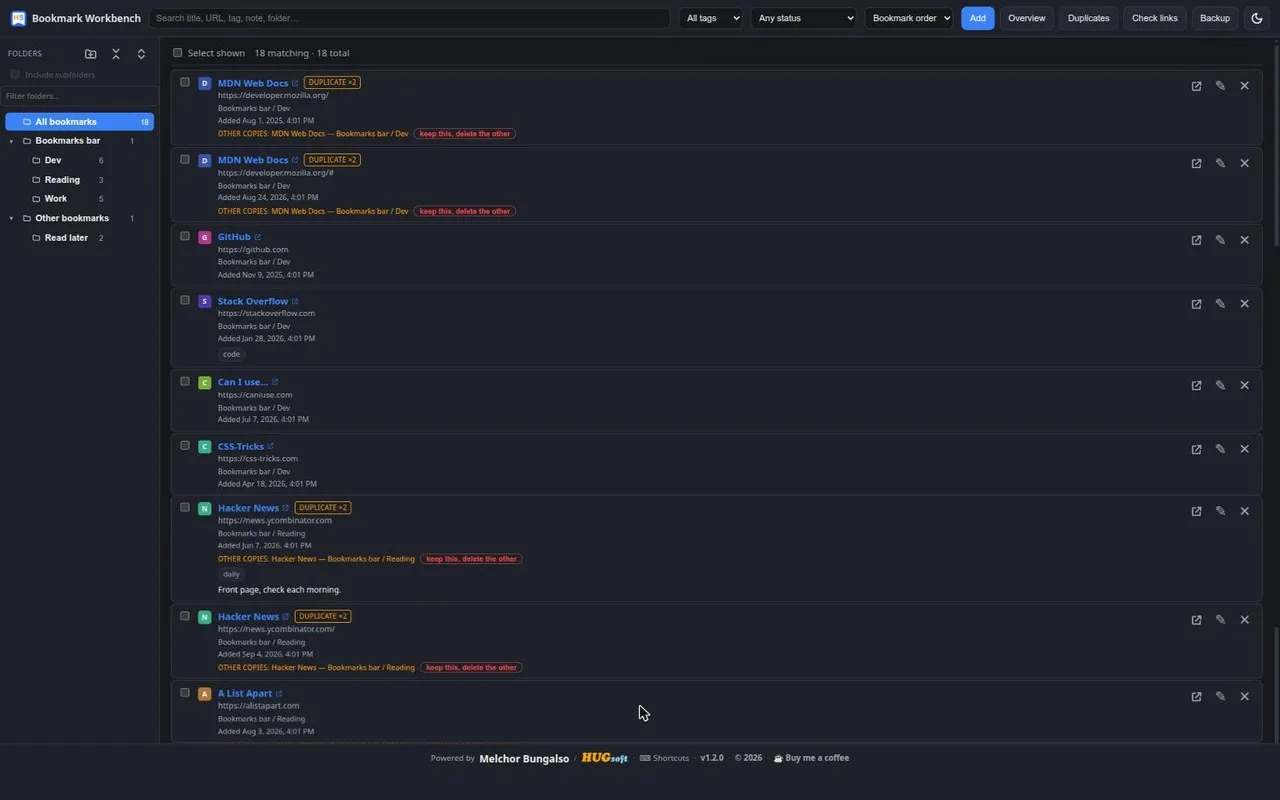
A full-page workspace for your Chrome bookmarks. It opens in its own tab and gives you the search, bulk-editing and cleanup tools that Chrome's built-in bookmark manager leaves out.
Free, MIT-licensed. No account, no sign-in, no cloud sync — it works directly on your real Chrome bookmarks.
What it does
Every change is an ordinary Chrome bookmark change, so nothing is locked in.
-
Overview New in 1.1.0
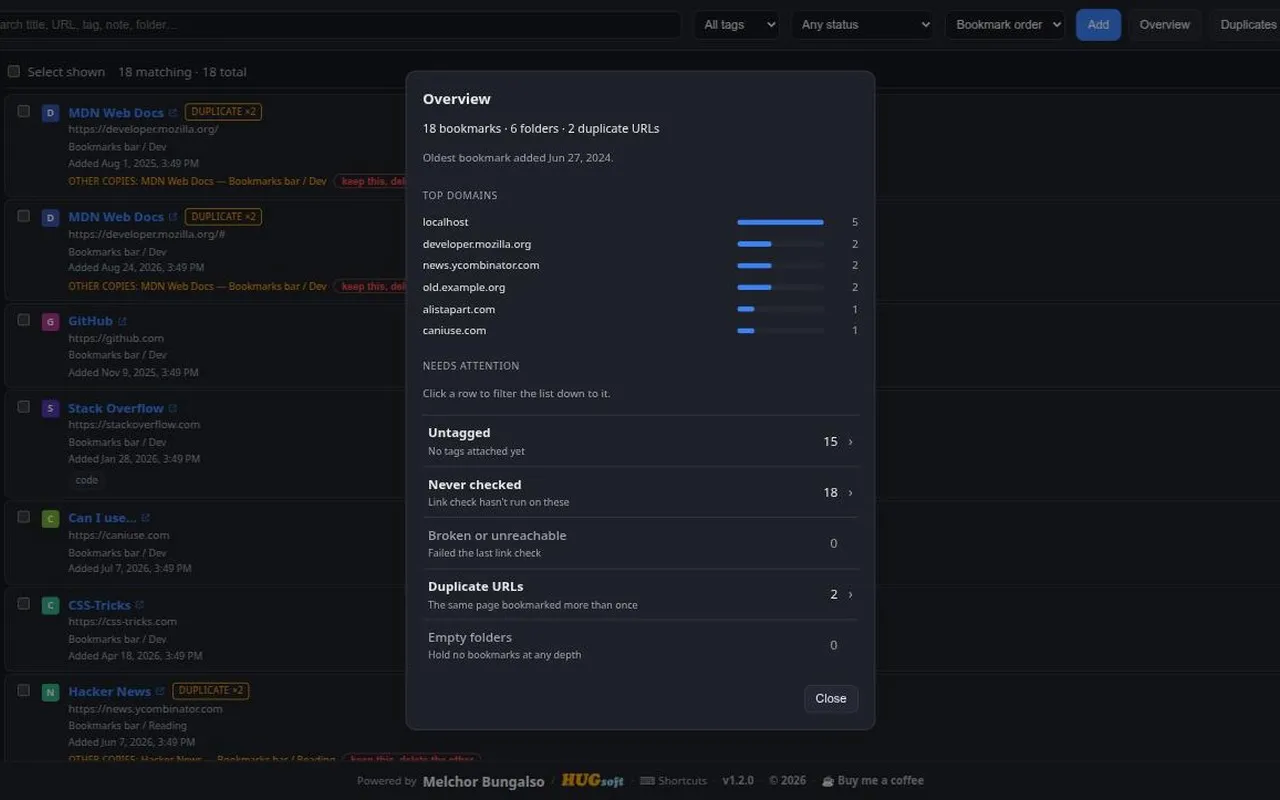
A snapshot of the whole collection: totals, your busiest domains, and a "needs attention" list — untagged, never checked, broken, duplicated, empty folders. Every row filters the list down to it in one click, and empty folders carry their own delete them button.
-
Search everything
Match on title, URL, folder path, tag or note as you type. Sort by title, URL, domain or date added.
-
Duplicate finder
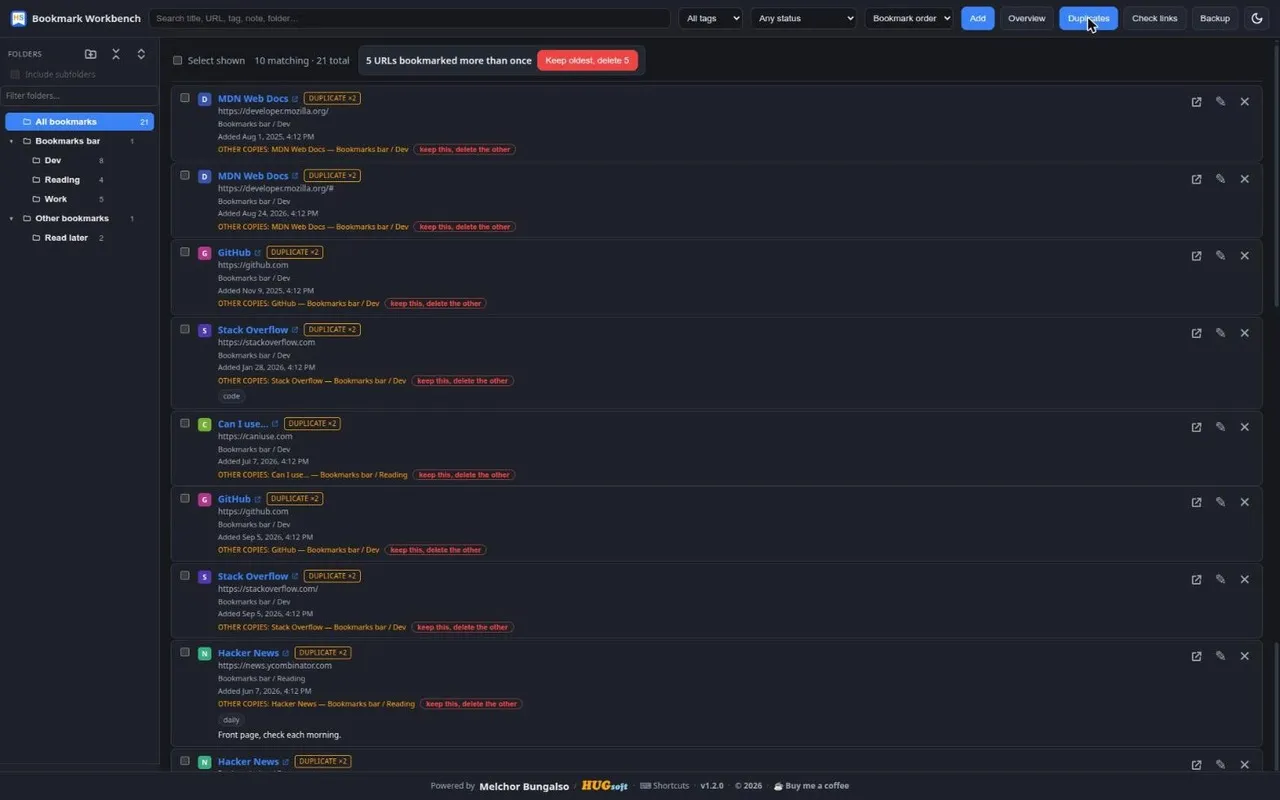
Groups URLs that match after normalising away
#hash, trailing slashes and host case. "Keep this, delete the others" folds the copies' tags and notes onto the one you kept — or clear a whole collection in one pass with keep oldest, delete N. -
Dead-link checker
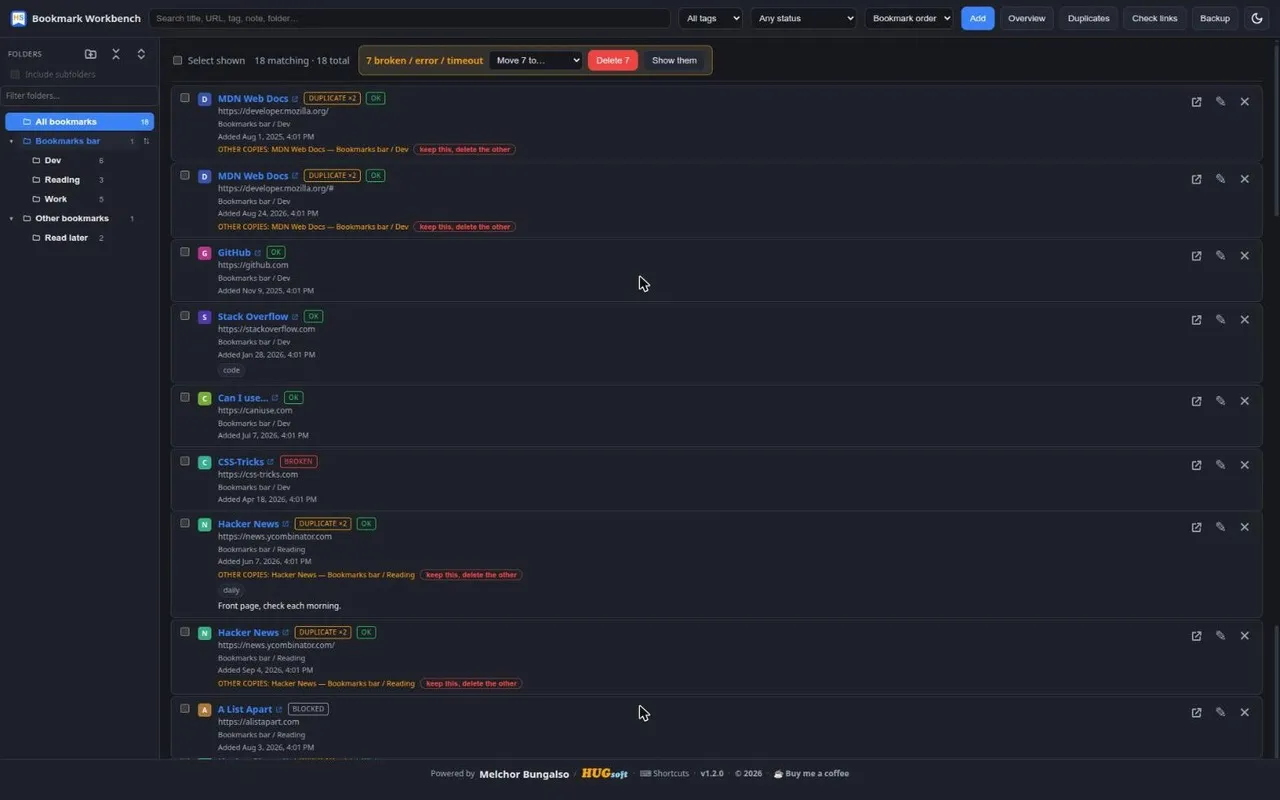
Checks every shown bookmark and badges it ok, broken, blocked, timeout or error. Afterwards, one click deletes or files away everything that failed.
-
Bulk editing
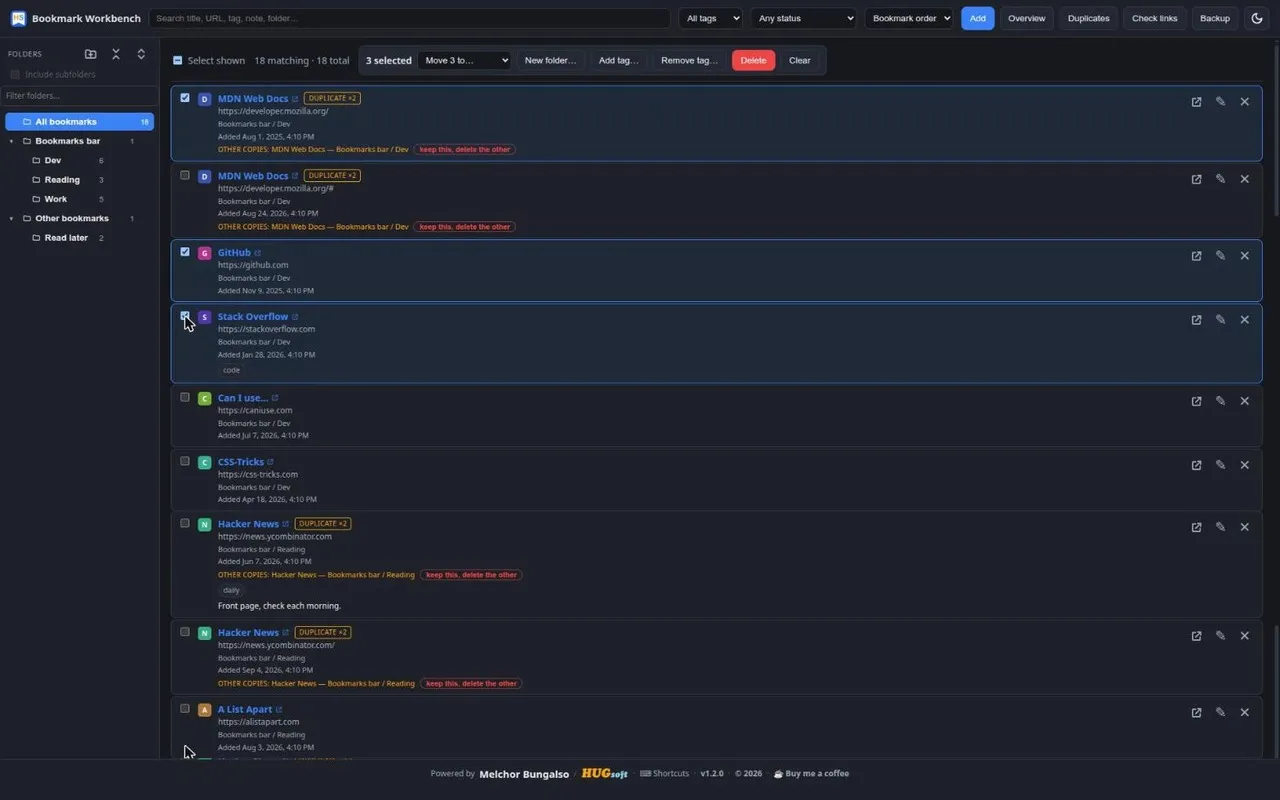
Select with checkboxes or shift-click a range, then move, tag, remove a tag, file into a new folder, or delete the whole set at once. Drag and drop onto folders works too.
-
Reorder & sort folders New in 1.2.0
Drag a bookmark between two rows to drop it in that exact slot, or sort a folder once from its
⇅control to write that order into Chrome for good. A filter box narrows the folder sidebar to matching names. -
Keyboard shortcuts New in 1.2.0
Move a cursor with
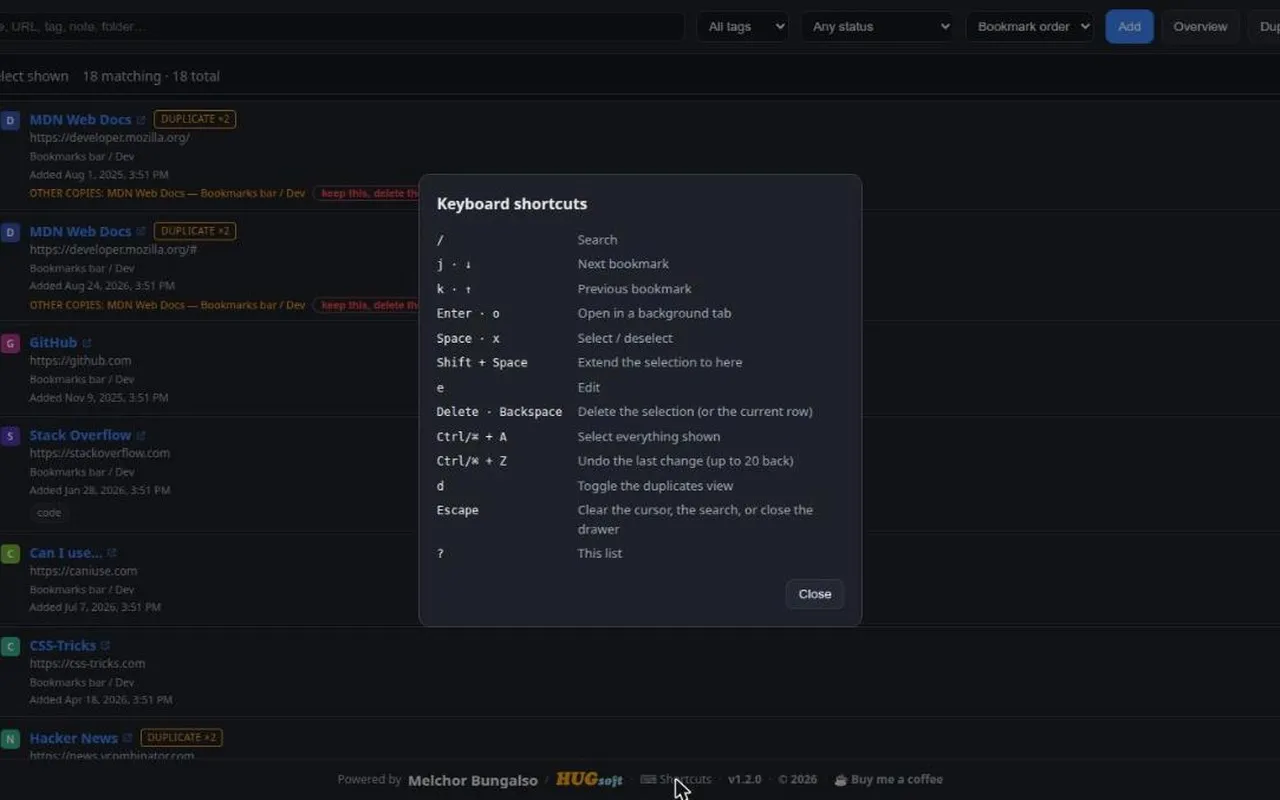
j/k, open, select, edit, delete and undo without touching the mouse.?or the footer button opens the full list;Alt+Shift+Bopens the workbench from anywhere. -
Right-click, anywhere New in 1.2.0
Bookmark the page or link you're on straight from Chrome's own right-click menu — no need to open the workbench first. Right-click a row or folder inside it for the same actions in context.
-
Tags & notes
A per-bookmark layer Chrome can't store itself, kept on your device and searchable alongside everything else.
-
Backup & transfer
Export tags and notes as JSON that re-matches by URL after a reinstall, plus standard
bookmarks.htmlimport and export that every browser reads. -
Undo
Deletes and moves drop an Undo into the toast — it rebuilds what was removed, or puts it back where it came from.
Screenshots
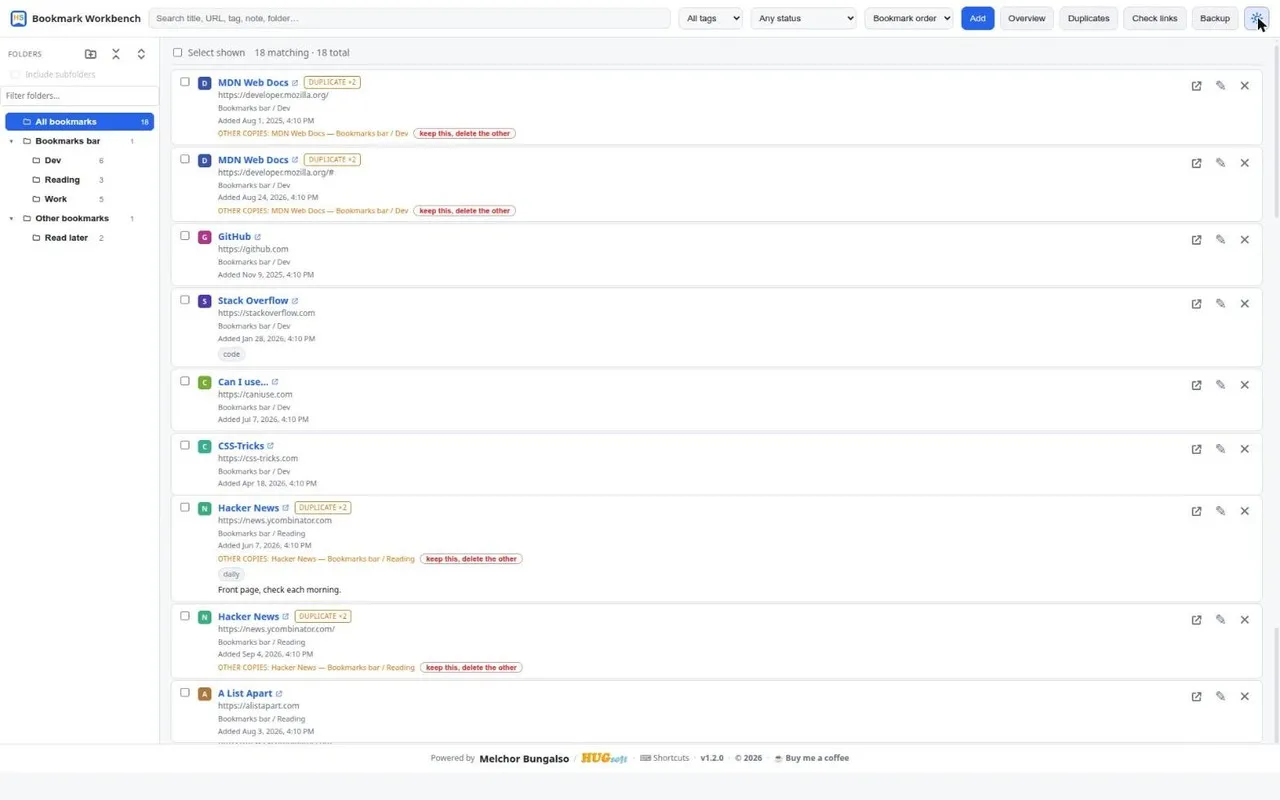
Shown in the dark theme; the extension follows your system setting, or you can pin light or dark.
The short version
Privacy
The extension collects nothing and sends nothing anywhere. All processing happens locally in your browser. There is no server, no account, no analytics, and no third-party code.
The one feature that touches the network is the dead-link checker, and it asks for permission to read other sites only when you first click Check links — never before. Those requests go straight from your browser to the bookmarked sites, exactly as if you had opened them, and only the resulting status is stored, on your device.
Changelog
-
Real drag-and-drop reordering between rows, plus a folder sort that writes the order into Chrome itself. Keyboard shortcuts for cursor navigation, selection and undo, with a shortcuts dialog and a global
Alt+Shift+B. Native right-click bookmarking for the current page or any link, and a right-click menu on rows and folders inside the workbench. A filter box for the folder sidebar, a Fetch button that reads a page's own title, "keep oldest, delete N" for duplicates, one-click delete for empty folders in Overview, New folder… and Remove tag… in the bulk actions bar, and list pagination for very large collections. -
Added the Overview panel — collection totals, top domains, and a needs-attention list that filters the view in one click. New Untagged option in the tag filter.
-
First public release: search and sort, folder tree, add / edit / delete / move with undo, drag and drop, duplicate finder, dead-link checker, tags and notes, bulk actions, backup and transfer, light and dark themes.